
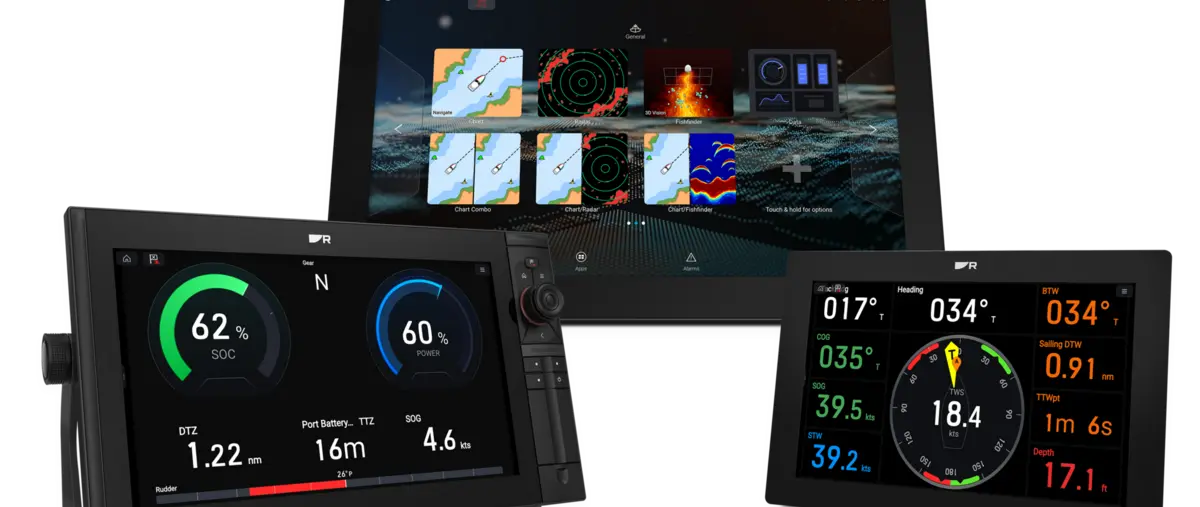
Raymarine has released LightHouse 5 for its Axiom 2 family of multifunction displays. Version 5.0.126 introduces a new free-form Data App, revised source-selection tools and further integration with compatible helm systems.
The update is specifically for Axiom 2, Axiom 2 Pro and Axiom 2 XL hardware. Owners of first-generation Axiom, Axiom+, Axiom Pro and Axiom XL displays remain on the LightHouse 4 software branch.
New Data App allows custom information layouts
LightHouse 5 introduces a free-form Data App that lets users build pages around the information they want to see. The software also adds search tools for data items, making it easier to locate individual engine, navigation and system values.
A revised Data Sources menu gives users clearer control over which connected sensor or device supplies a particular value. That can be useful on boats with more than one GPS, heading source or engine-data gateway connected to the network.
Mercury joystick support is expanded
The release adds support for the newer Mercury Precision Joystick interface and a dedicated settings sidebar. Raymarine also lists changes to Skyhook integration, extending the way compatible Mercury propulsion systems can interact with the display.
The update includes additional interface changes such as animated home backgrounds and an updated Netflix app. Raymarine has also addressed a software-update issue affecting Quantum radar installations.
Mixed Axiom networks need careful planning
Raymarine warns that LightHouse 5 displays cannot be networked with displays that remain on LightHouse 4. A boat mixing first-generation Axiom and Axiom 2 hardware must therefore keep the Axiom 2 units on a compatible LightHouse 4 version if the displays need to share a network.
Axiom 2 units running LightHouse 4.10.149 or earlier must first update to LightHouse 4.11 before moving to LightHouse 5. For LBG owners, that compatibility check is the most important step before treating the new release as a routine one-click software update.