
Clear sound can make all the difference to a cruising film. GoPro's October 2026 wireless microphone advice offers a starting point for recording voices, managing wind and keeping filming subordinate to safety aboard.
Why boat videos sound worse than they look
Beautiful light, a broad horizon and a steady boat can make compelling footage, but sound is often what betrays an otherwise accomplished film. A camera mounted on the rail or pointed towards the helm hears wind across its own microphones more clearly than it hears someone speaking several feet away. The result can be a sailing or cruising video that looks inviting on screen yet makes a simple commentary almost impossible to follow. For owners and families who want to preserve trips, the audio deserves as much attention as the picture.
GoPro's October 2026 guide to wireless microphones explains a basic acoustic problem that is particularly familiar at sea: distance works against speech, while environmental noise remains close to the camera. A microphone worn nearer a person's mouth can give spoken words a stronger signal before the rush of air and the sound of water compete with them. That principle matters whether the subject is describing an anchorage, explaining a repair at the dock or talking a camera through a gentle day under sail. It does not make poor conditions disappear, but it makes the recording easier to understand.
When an external microphone earns its place
Not every boat video needs additional equipment. A silent sequence of a marina entrance, a sunset under sail or a wide shot of the wake may be stronger with natural boat sounds or a carefully chosen soundtrack added during editing. A separate microphone becomes more valuable when conversation is the point: a short interview with the skipper, a family commentary on an island stop or a hands-on explanation of a piece of equipment. Start by deciding whether viewers need to hear a person, the atmosphere or both.
A simple wired microphone can work for a camera held close to the speaker, but wireless arrangements give the subject room to move without trailing a cable across a cockpit. The trade-off is that batteries, connections, radio range and compatibility all become part of the shoot. On a moving boat, that preparation is especially important because there may be nowhere convenient to troubleshoot once the trip is under way. A short recording at the pontoon is a better test than discovering a missing channel after an afternoon on the water.
What the GoPro wireless system offers
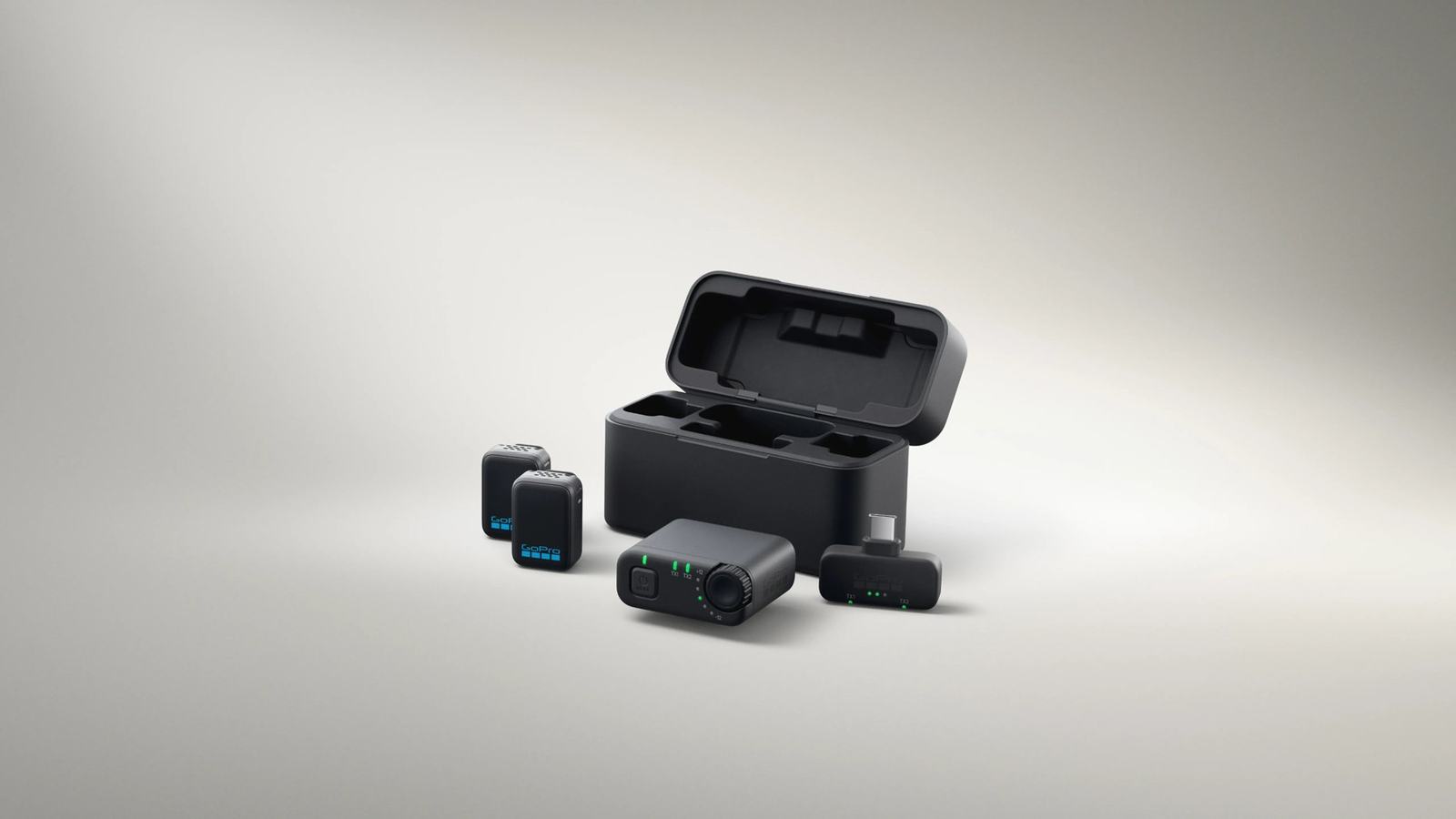
GoPro's current Wireless Mic Complete Kit is built around two small transmitters, a charging case and receiver options for different recording devices. The company lists USB-C and 3.5 mm connections, which can help a creator choose the route appropriate to a particular camera or phone. Two transmitters open the possibility of recording a skipper and a guest together, or a presenter and a technician carrying out a demonstration. The kit is a compact production tool, not a substitute for the safety equipment or procedures that belong on board.
The manufacturer's published specifications distinguish between recording routes, so the connection method matters more than simply seeing a successful Bluetooth pairing. GoPro states that the receiver route can deliver 24-bit, 48 kHz audio, while direct Bluetooth support applies only to selected compatible GoPro cameras and offers a different audio-quality path. Its claimed wireless operating distance is up to 150 metres under favourable clear-sight conditions, not a reliable promise on a yacht behind a cabin, rigging or metal structure. Buyers should check the precise camera model and connection before planning a shoot.
GoPro also describes long combined operating time when the transmitters are recharged in their case, but an advertised total is not the same as a continuous session on a single charge. That difference becomes important on a full-day cruise when a microphone may be needed intermittently for departure, arrival and a shore visit. Keeping the case accessible, checking battery indicators and recording a few seconds before each interview are modest habits that prevent lost material. A spare memory card and charged camera battery are just as important as an additional microphone.
Make wind protection and placement the priority
Wind is the central complication for anyone recording speech on deck. Even a light breeze can strike a microphone capsule directly, producing low-frequency buffeting that overwhelms the voice. Positioning the transmitter on clothing near the upper chest can help, provided it does not rub against a lifejacket, zip, wet-weather collar or loose fabric. A suitable windscreen, often called a furry cover, is worth testing before departure rather than treating it as an optional flourish.
The best position depends on what the subject is doing. For a seated conversation at anchor, a discreet clip may give clean sound without intruding into the frame; at the helm, the same clip could be brushed by a safety harness or jacket as the skipper turns. The practical solution is to record a sample while the person moves naturally, listen through headphones, then adjust placement. Microphones have to be mounted securely enough that a change of direction or sudden movement does not send them overboard.
A wireless microphone records a close voice, but it does not necessarily preserve the character of the sea around it. Editors can improve a short travel film by capturing a separate stretch of natural atmosphere: halyards moving, water alongside, a gentle wake or conversation in a sheltered cockpit. Those sound recordings can be layered thoughtfully rather than forcing a speech microphone to do two jobs at once. Care is needed with music licensing and with any narration that could distract from what the crew are actually doing.
An uncomplicated filming routine aboard
Begin at the dock by confirming that the camera recognizes the receiver and is recording from the intended input. Speak at normal volume, move a little and listen back immediately on headphones rather than assuming an onscreen icon guarantees usable sound. If two microphones are connected, test each one separately and check their balance before the people being filmed move away. Note whether the camera will preserve separate tracks or combine them, because that influences what can be fixed in the edit.
Once under way, divide the filming into short, purposeful segments. An introduction before departure, a brief description of the route in safe conditions and a few observations once moored often tell a clearer story than uninterrupted footage from a camera left running for hours. Keep the camera, transmitter and cables away from winches, lines, hot machinery and passageways. Crew members whose attention is needed for navigation, lookout or boat handling should never be expected to perform for the recording at the same time.
Water is a further constraint: a camera marketed for marine adventure does not confer the same protection on every accessory paired with it. Check each microphone, receiver and charging case against its own environmental and water-resistance specification, and avoid assuming that a compact transmitter can tolerate spray or immersion. Secure small components with practical retention measures where possible, but do not attach dangling gear to anything that could catch in working rigging. If conditions become rough, put the recording away and concentrate on seamanship.
Choose equipment for the story, not the specification sheet
An occasional family filmmaker may achieve all the improvement needed by moving the camera closer to the person speaking and choosing a sheltered spot. Someone making regular harbour guides, maintenance demonstrations or interviews may gain more from a dedicated wireless set and a repeatable sound-check procedure. The important distinction is whether the microphone solves a genuine problem in the way the boat is used. Buying the most elaborate kit will not rescue an interview recorded in a gale at the wrong moment.
The larger lesson of GoPro's advice is that clear audio is planned rather than rescued in editing. Check compatibility, test wind protection, secure the equipment, monitor a short sample and prioritise safety whenever the vessel demands attention. With those basics in place, a modest cruising video can carry the sounds and voices that made the day memorable. Without them, even a technically sharp sequence of blue water and bright sails can feel surprisingly distant.